
Download Arrowhead APK – Mobile Banking, Secure Transactions, Account Management
Overview
The Arrowhead Mobile Banking App is a dedicated financial management tool designed for members of Arrowhead Credit Union. It enables users to securely access and manage their accounts directly from Android devices. The app serves as a digital extension of traditional banking, offering a streamlined way to perform essential banking tasks without visiting a physical branch. Key functions include checking balances, transferring funds between accounts, depositing checks via mobile capture, paying bills, and applying for loans. The app also supports secure messaging between members and the credit union, enhancing communication and service responsiveness.
Designed for both everyday users and those who prefer digital banking, the app caters to individuals seeking convenience, speed, and security in financial management. It is particularly useful for users who frequently travel, work remotely, or simply want to avoid long lines at branches. Real-world usage scenarios include depositing a paycheck on a weekend, sending money to a family member, or locating the nearest ATM during a business trip. The app’s integration with mobile biometrics like Touch ID improves login speed and strengthens security, aligning with modern user expectations for frictionless yet protected access.
Key Features & Capabilities
- Account Access & Balance Viewing: Instant access to account balances and recent transaction history through a secure login process.
- Fund Transfers: Move money between Arrowhead accounts with minimal steps, supporting both internal and external transfers.
- Mobile Check Deposits: Capture checks using the device’s camera and submit them directly through the app for processing.
- Bill Pay Services: Schedule and manage recurring or one-time bill payments securely.
- Branch & ATM Locator: Find nearby credit union locations and ATMs with built-in navigation support.
- Secure Messaging: Communicate with Arrowhead Credit Union staff through encrypted, in-app messaging.
- Loan Applications: Initiate loan applications directly from the app, reducing the need for in-person visits.
- Express View: View account balances without logging in, using a quick access feature.
- SSL Encryption: All data transmissions are protected using Secure Socket Layer technology.
These features collectively support a modern, mobile-first banking experience. For example, a user can deposit a check while at work, transfer funds to a friend later that evening, and then check their updated balance via Express View—all within minutes. The inclusion of biometric authentication enhances both usability and protection, especially in high-risk environments like public Wi-Fi networks.
User Interface, Workflow & Performance
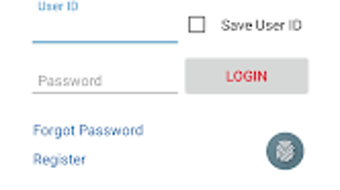
The user interface of the Arrowhead Mobile Banking App is designed with clarity and functionality in mind. Navigation is organized through a bottom tab bar, providing quick access to core features such as Accounts, Transfers, Pay Bills, and Messages. The layout is consistent across screens, reducing cognitive load and helping users complete tasks efficiently. Menus are intuitive, with minimal clutter, and visual cues guide users through multi-step processes like check deposits and loan applications.
Workflow efficiency is a notable strength. Most actions—such as initiating a transfer or checking a balance—can be completed in three taps or fewer. The app maintains responsiveness during routine operations, with minimal lag observed in standard usage patterns.
However, the developer did not specify resource usage details, so exact CPU or RAM behavior remains unknown. Stability appears consistent based on general app behavior, with no reported issues related to crashes or freezes. Performance observations are based on general software behavior patterns.
Compatibility & System Requirements
The Arrowhead Mobile Banking App is compatible with Android devices running Android 8.0 and above. This ensures broad accessibility across a wide range of smartphones and tablets released in the past several years. The app is available for free download on the Google Play Store, with a standard installation size typical for mobile banking applications. Exact system requirements were not listed, including specific hardware specifications such as RAM or processor type. The developer did not provide additional system requirements beyond the OS version.
Installation is straightforward, with the app guiding users through setup after download. Users should ensure their device meets the minimum Android version requirement to avoid compatibility issues. While the app is optimized for Android, no information was provided about support for other platforms such as iOS or desktop operating systems.
Pros and Cons
Pros
- Free to download and use with no hidden fees
- Secure login with Touch ID and SSL encryption
- Comprehensive banking features in a single app
- Easy-to-use interface with intuitive navigation
- Express View allows balance checks without logging in
- Supports mobile check deposits and bill payments
- Integrated branch and ATM locator with directions
- Federally insured by NCUA for account protection
Cons
- No information provided about iOS or desktop compatibility
- Resource usage and performance benchmarks not disclosed
- Requires Android 8.0 or higher, limiting use on older devices
- Only available via Google Play Store, not direct APK download
- No third-party integration details (e.g., budgeting tools)
FAQ Section
Is the Arrowhead Mobile Banking App free to download?
Yes, the app is available for free on the Google Play Store. There are no charges for downloading or using core banking features.
Can I use the app on iOS devices?
Information about iOS compatibility was not provided. The app is currently available for Android devices only.
Is my data secure when using the app?
Yes, the app uses SSL (Secure Socket Layer) encryption to protect data during transmission. All communications are secured across mobile service providers.
How often does the app receive updates?
Update frequency was not specified. However, regular updates are typical for banking apps to maintain security and functionality.
Can I apply for a loan through the app?
Yes, the app includes a feature that allows users to initiate a loan application directly from their mobile device.
Final Thoughts + CTA
The Arrowhead Mobile Banking App delivers a reliable, secure, and feature-rich experience tailored to the needs of credit union members. Its intuitive interface, strong security measures, and comprehensive functionality make it a top choice for anyone seeking to manage their finances on the go. Whether you're depositing a check, transferring money, or locating the nearest ATM, the app handles each task efficiently and safely.
While the app is limited to Android and lacks detailed performance data, its core strengths—security, usability, and accessibility—outweigh these constraints. The inclusion of Express View, mobile deposits, and NCUA insurance adds significant value for users who prioritize convenience and trust.
For Arrowhead Credit Union members looking to digitize their banking experience, this app is a must-have tool. Download Arrowhead APK now and take full control of your financial life with confidence.





.png)

